
StrongEra on iPhone Duo: built for the bigger screen
StrongEra now supports iPhone Duo. Fold it and you get the app you already know. Unfold it and your program, your workout, and your set logging spread out to use the extra room.
Quick answer
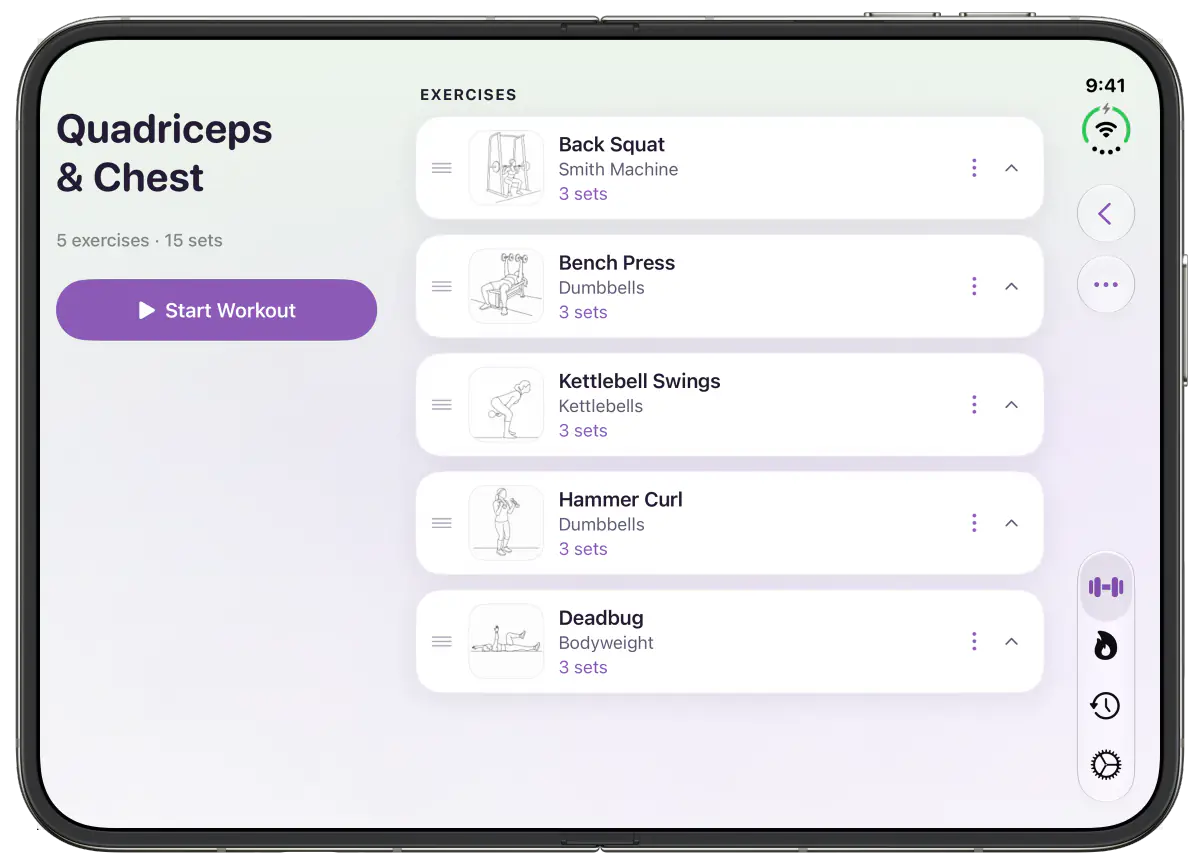
StrongEra works on iPhone Duo on both screens and in both orientations. When the phone is unfolded, the app switches to wider layouts: your next workout sits beside its exercise list, the workout log gains a progress sidebar, and exercise instructions stay visible while you log each set.
There is nothing to set up. Update the app and it adapts as you fold, unfold, or rotate.
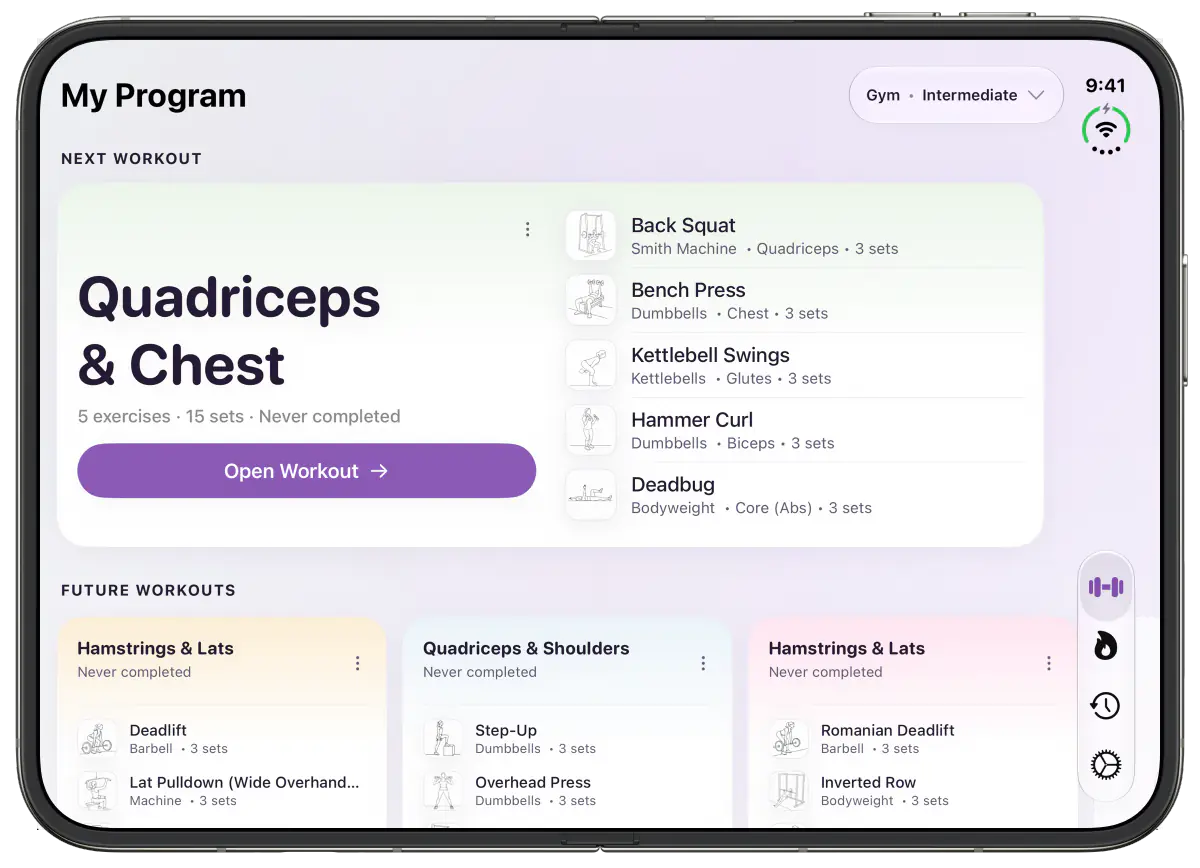
Your program, laid out side by side
Unfold the phone, turn it sideways, and My Program stretches across the whole screen. The next workout card splits in two, with the workout name and a summary on one side and its exercises on the other. The tab bar and toolbar buttons move to the side edge, which leaves the full width for your training.
Logging a set with the instructions in view
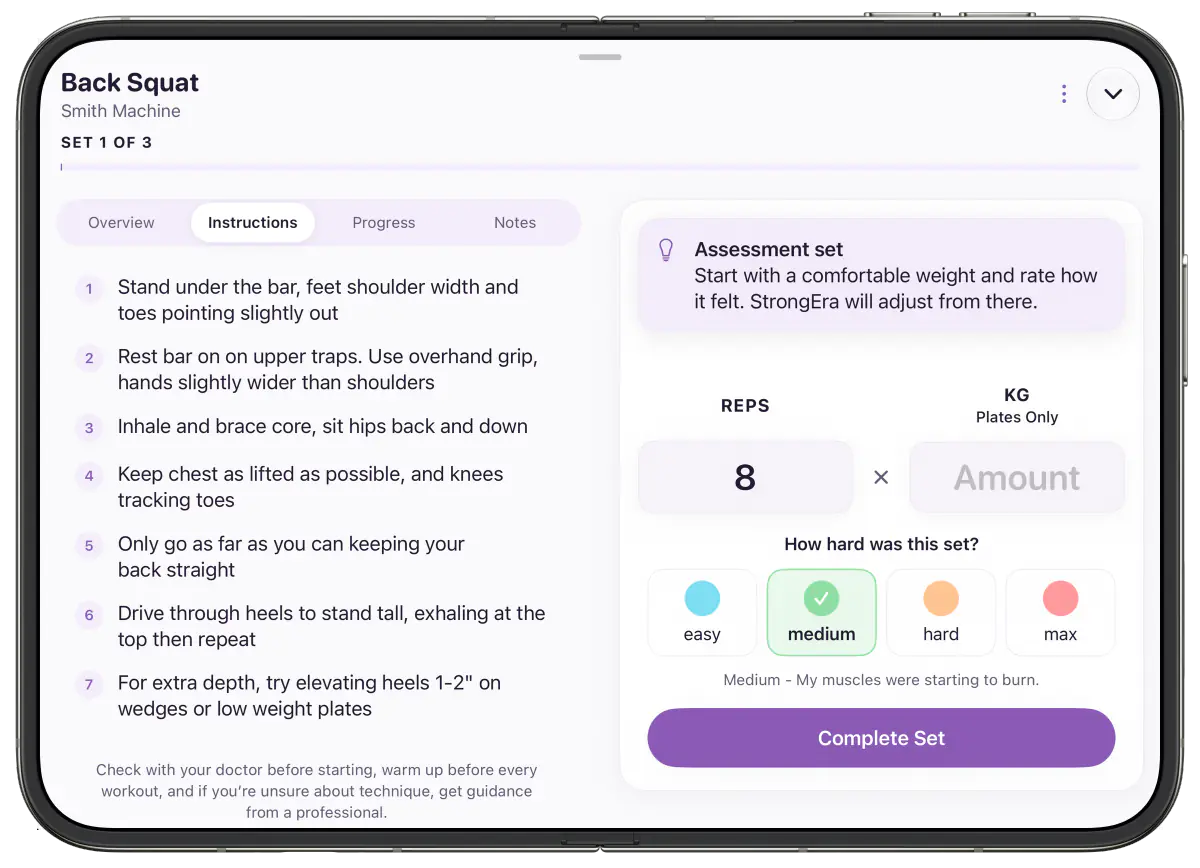
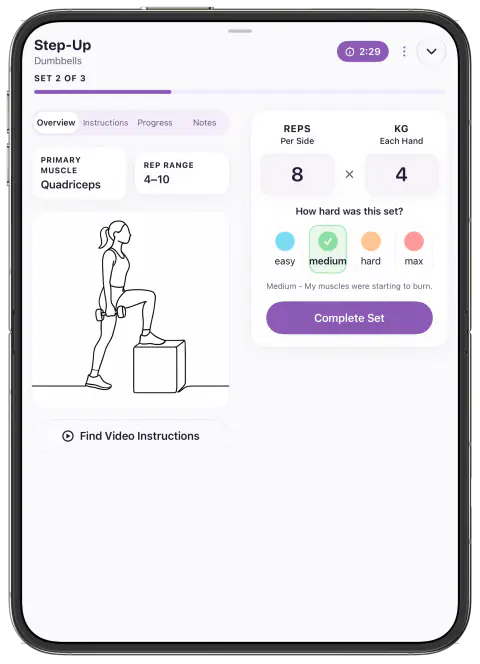
The biggest change is mid workout. The current set sits on one side and the exercise sits on the other, so you can check the illustration, the target muscle, and the rep range without leaving the set you are about to log.
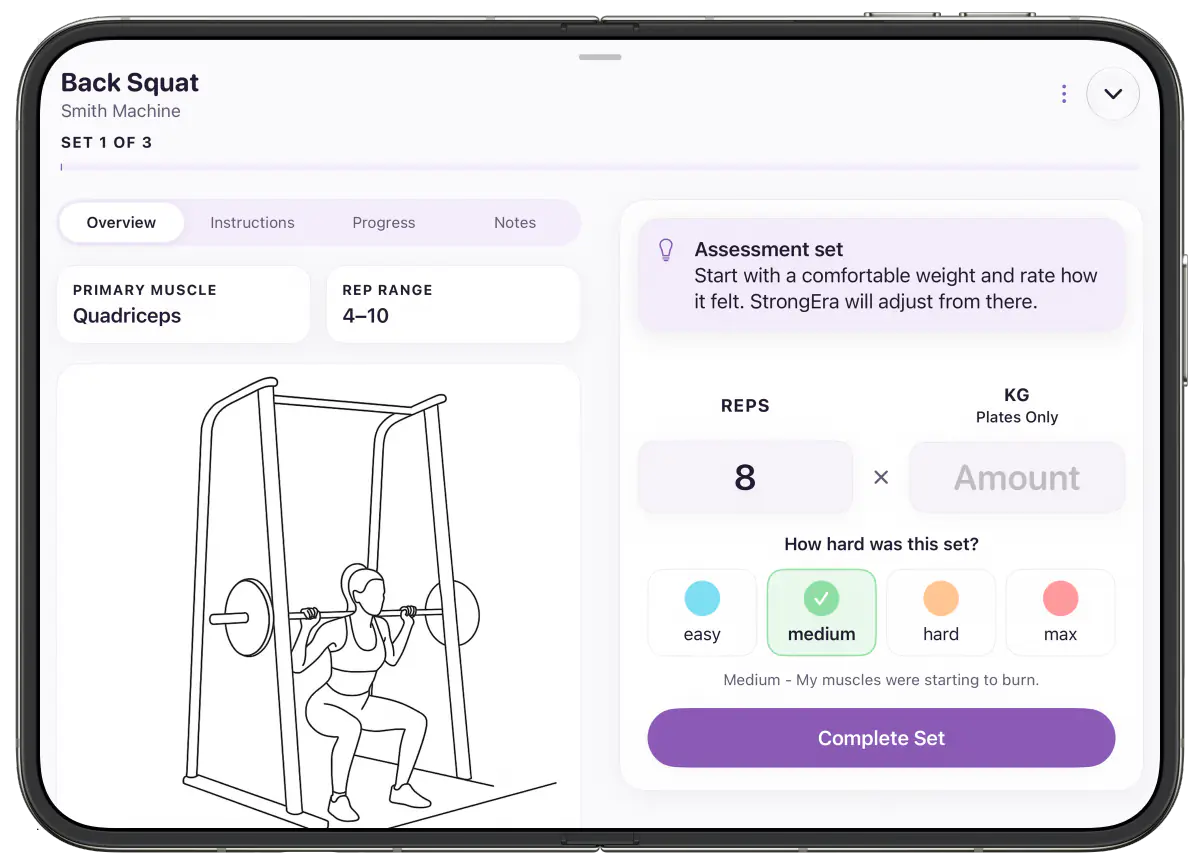
Switch to the Instructions tab and the step by step form cues stay on screen right next to your reps, weight, and how hard the set felt. That is handy for newer lifts, when you want a reminder of the setup before every set.
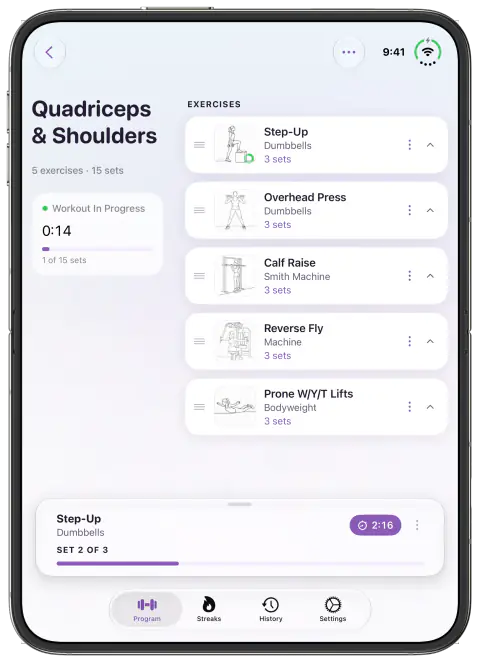
Prefer to hold it upright? The unfolded portrait view keeps a progress panel beside your exercise list and shows the rest timer after each set.
Folded, it is the StrongEra you know
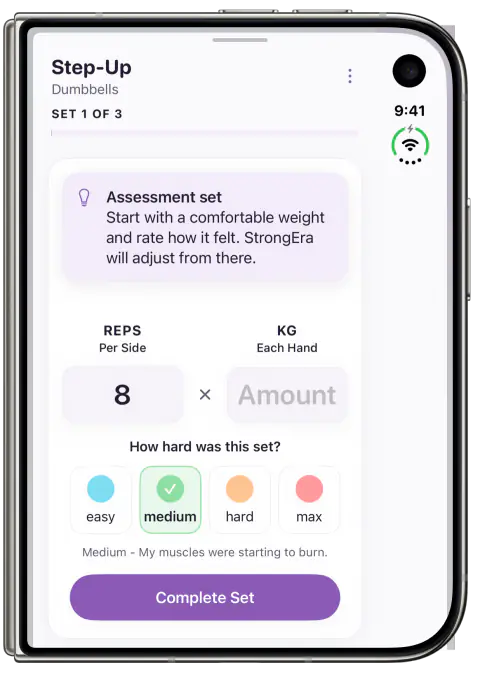
Plenty of workouts happen with the phone folded and resting on a bench. The cover screen keeps the familiar single column layout, so logging a set takes the same few taps as always. Unfold the phone whenever you want the bigger view, and StrongEra picks up right where you were.
We also tidied up the details that a new screen shape shows off. Text fits more cleanly in narrower columns, overlays stay clear of the side edge, and screens like onboarding stay at a comfortable reading width instead of stretching edge to edge.
Takeaway
If you train with an iPhone Duo, StrongEra now makes use of every screen it has. Keep it folded for quick logging, or unfold it to see your exercise, your set, and your progress together. Your program and history are unchanged, so just update and lift. If you are new to the app, here is why we built StrongEra.
Please note: StrongEra provides general fitness information only. It is not medical advice. Please consult a qualified healthcare professional before starting a new exercise program.
Frequently asked questions
Does StrongEra work on iPhone Duo?
Yes. StrongEra supports iPhone Duo on both the folded cover screen and the larger inner screen, in portrait and landscape.
Do I need to do anything to get the iPhone Duo layout?
No. Update StrongEra from the App Store and the app adjusts its layout automatically when you fold, unfold, or rotate the phone.
Will my workouts and history carry over?
Yes. The new layouts only change how screens are arranged. Your program, logged sets, and progress stay exactly as they are.
Can I still log a workout with the phone folded?
Yes. The folded cover screen keeps the familiar single column layout, so you can log a set without unfolding the phone between exercises.