
Best fiber tracker app for iPhone (2026): 5 ranked
Fiber tracking should be simple and fast. We compared the top iPhone apps for logging speed, fiber visibility, and how well each one helps you stay consistent without extra friction.
Below is a practical shortlist with strengths, tradeoffs, and who each app is best for, based on everyday meals, home cooking, cafe lunches, and grab and go snacks.
Reviewed by Stuart Hall, Proto co-founder. Stuart and co-founder Claire McGregor have both tracked protein for years while strength training several times a week, and built Proto after running into the same two problems with every other macro tracker: logging that took too long, and calorie-first goals that buried the number they actually cared about. He evaluates every app on this list against that same standard for fiber-first tracking, not a generic calorie-counting checklist.
Quick answer
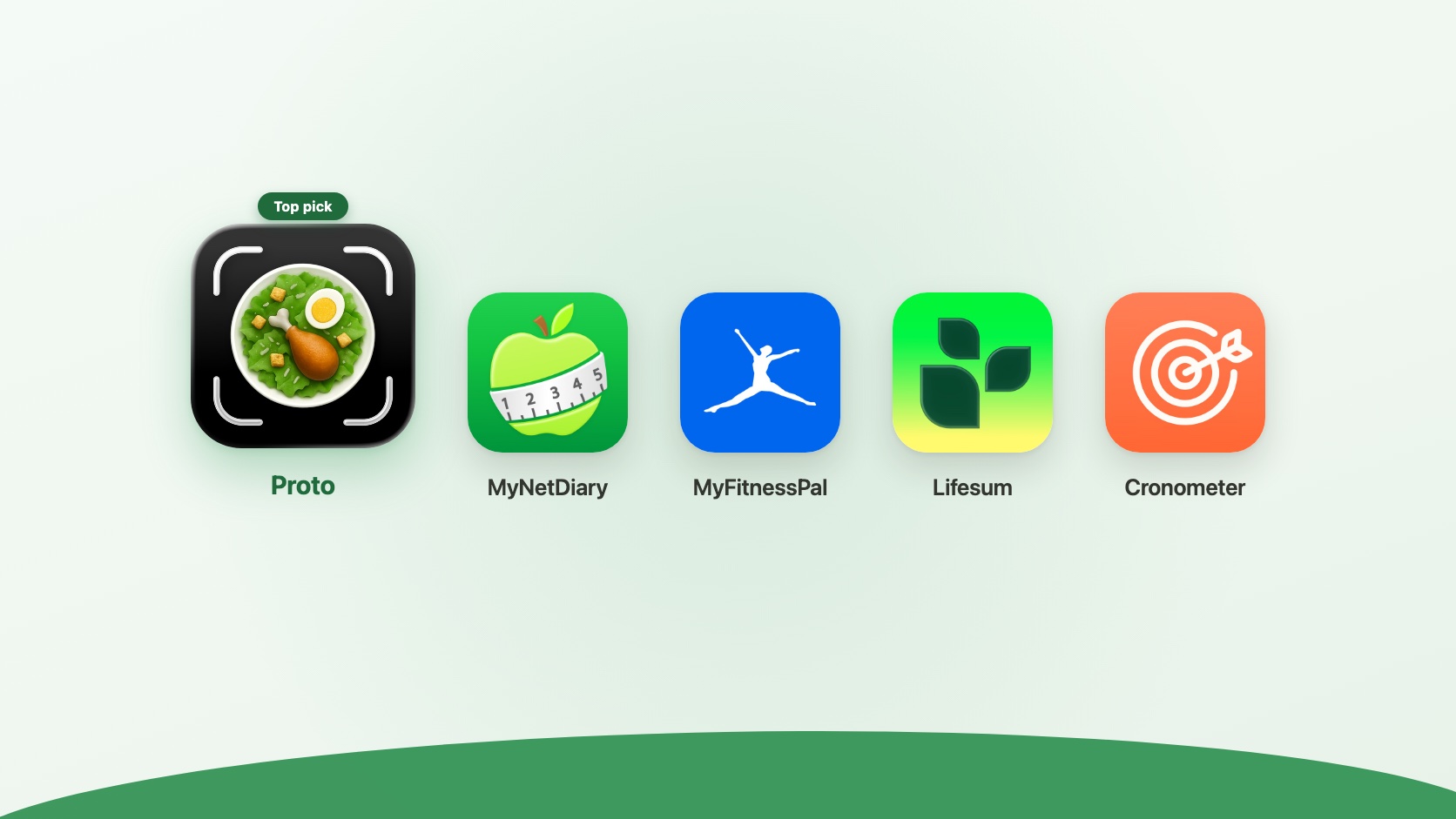
Proto is the best fiber tracker app for iPhone if you want fiber visible at a glance without a heavy calorie dashboard. It pairs fast photo logging with a fiber goal that stays front and center, and it tracks protein alongside fiber for people who want both numbers in one place.
How we evaluated these apps
We compared these apps against their current App Store listings, published pricing, and actual logging flow, cross-checked against what matters most for fiber-first tracking: how many steps it takes to log a meal, whether the number you care about is visible without digging into a secondary tab, and whether the app is built around that number as the priority or treats it as an afterthought to calories. Proto was built to fix the two problems Stuart and Claire kept running into with existing trackers: logging slow enough that it stopped being a daily habit, and calorie-first goals that buried protein.
If you want the rationale behind pairing these two goals, see our guide on why protein and fiber are better tracked together.
Not sure what daily fiber target to aim for? Our fiber calculator gives a general starting point, and a qualified professional can help you set a target for your needs.
Comparison at a glance
| App | Best for | Price |
|---|---|---|
| Proto | Fiber and protein visible together, fast logging | Free trial, subscription |
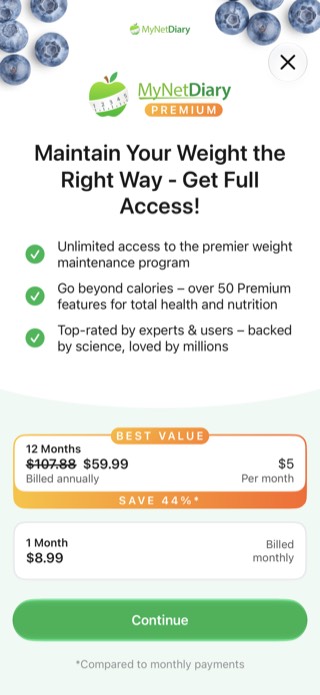
| MyNetDiary | Calorie and macro tracking with an AI coach upsell | Free tier; Premium $8.99/mo or $59.99/yr |
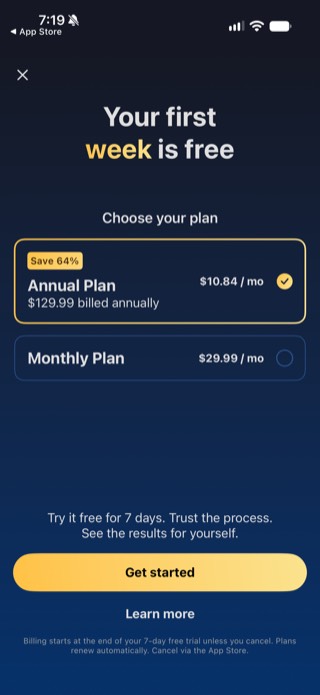
| MyFitnessPal | Largest food database, familiar logging flow | Free tier with ads; $19.99/mo or $79.99/yr, 7-day trial |
| Lifesum | Photo, voice, and barcode logging with meal plans | Free tier; Premium $14.99/mo or $99.99/yr, often discounted |
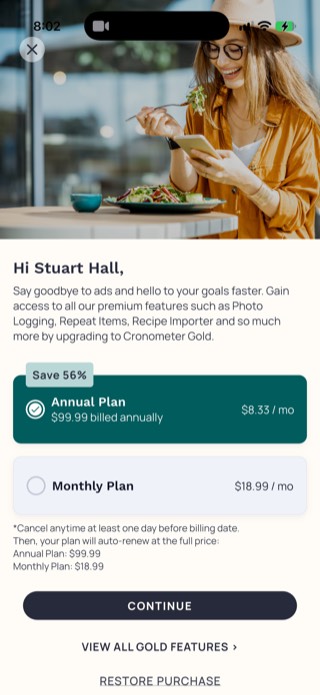
| Cronometer | Detailed micronutrient breakdown alongside fiber | Free tier with ads; Gold $10.99/mo or $59.99/yr |
How the top apps compare
We looked at fiber visibility, logging speed, and whether the app stays out of your way. Here is the short list.
1. Proto: best overall
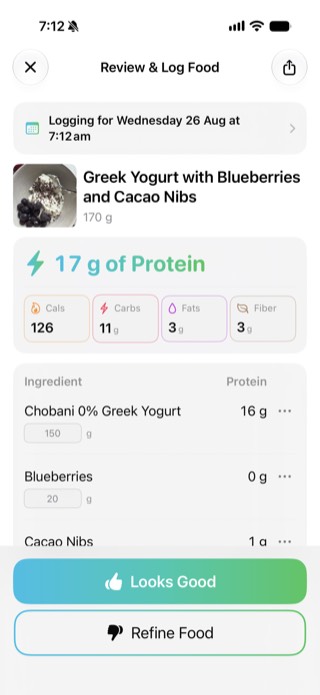
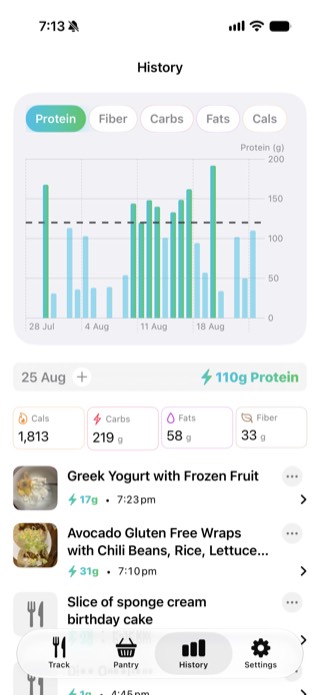
The home screen shows Protein and Fiber as the two goal bars, with Calories, Carbs, and Fats as secondary tiles underneath, so fiber is never a tab you have to go looking for. Photo-based logging reviews a per-ingredient breakdown with editable gram amounts before it saves, and saved meals relog in one tap.
- Fiber is a headline goal bar, not a secondary metric.
- Per-ingredient photo breakdown you confirm or correct.
- Saved meals relog in one tap.

2. MyNetDiary: calorie and macro tracking with an AI coach upsell
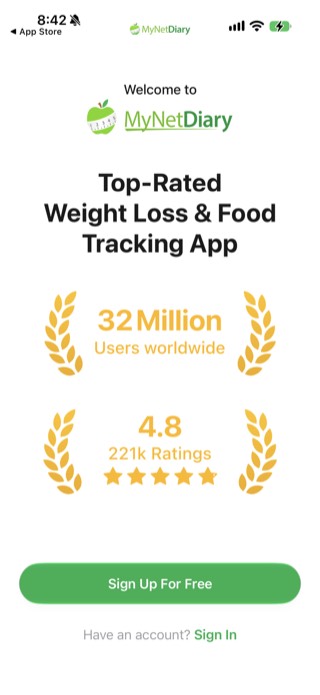
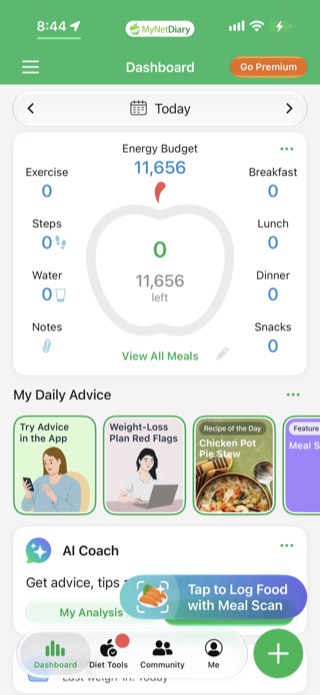
Onboarding runs through a "verified database" pitch and a personalized plan quiz before you reach the app. The Dashboard leads with a large calorie ring (ours defaulted to a kilojoule-scale number rather than calories) plus per-meal tiles, and a "My Daily Advice" carousel and an "AI Coach" card push further into content and upsells. Fiber is trackable but sits behind calories as the headline metric.
- Pros: solid database, macro summaries alongside calories.
- Cons: heavy advice-card and AI Coach upselling in the free tier.
3. MyFitnessPal: largest food database
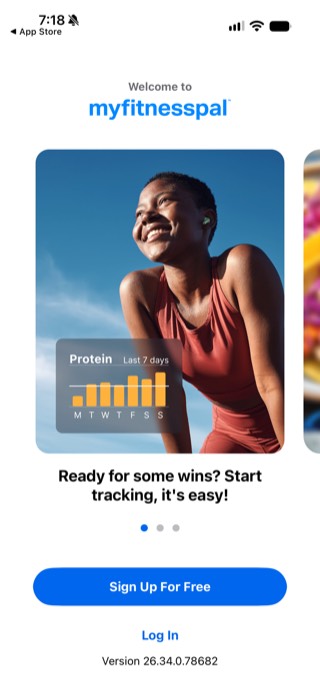
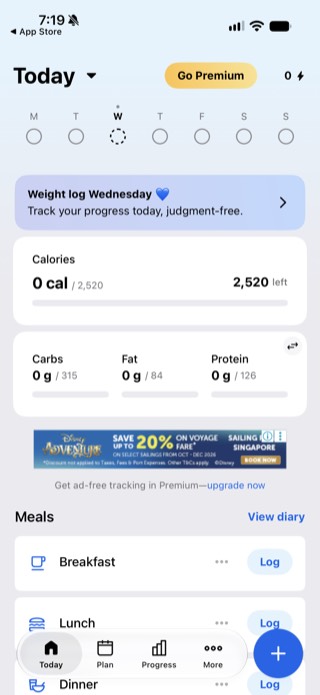
MyFitnessPal has the biggest food database of any tracker app here, millions of entries including restaurant meals and user-submitted foods. The main Today screen shows Calories, then Carbs, Fat, and Protein in a row: fiber does not get its own tile there, so you need to open the full nutrition breakdown to see it. It is a solid choice if database coverage matters more to you than fiber visibility.
- Pros: the largest food database by far, familiar and fast logging.
- Cons: fiber is not on the main Today screen, and the free tier carries ads.
4. Lifesum: photo, voice, and barcode logging with meal plans
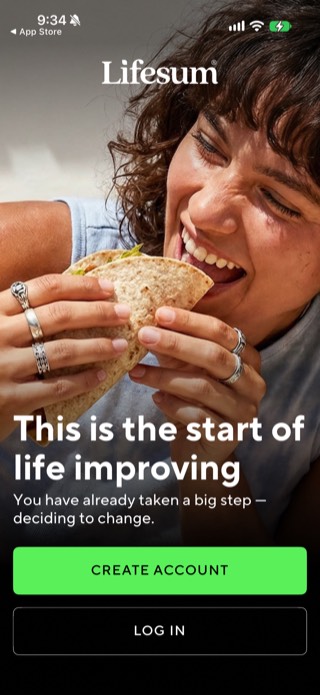
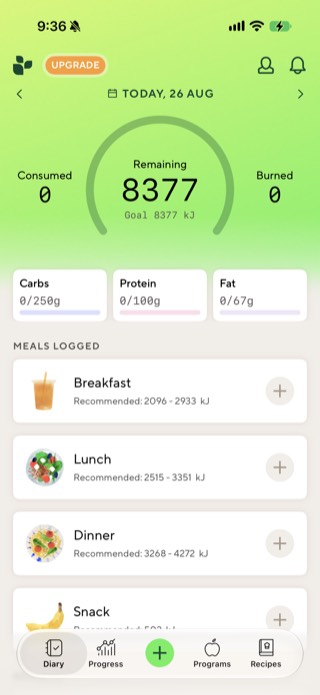
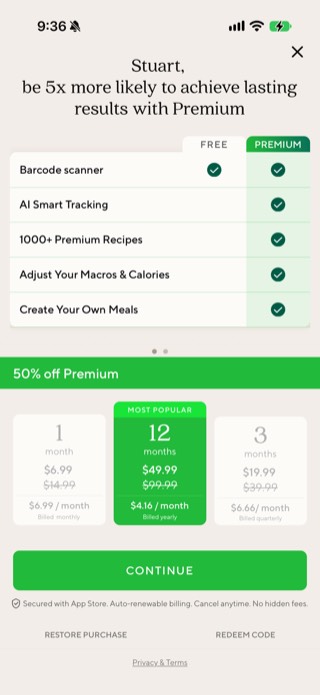
Lifesum offers several logging methods (photo, voice, typed, and barcode) plus meal plans and a recipe library. Our Diary screen defaulted to a kilojoule goal rather than calories, and the three macro tiles below it are Carbs, Protein, and Fat: fiber does not appear on the main screen at all. The free tier does include unlimited barcode scanning, but adjusting your macro or calorie targets and creating your own meals are both locked behind Premium, which limits how much a free user can tailor the app toward a fiber goal.
- Pros: multiple logging methods, meal-level calorie ranges, barcode scanning free on both tiers.
- Cons: fiber is not shown on the main Diary screen, and adjusting macro targets requires Premium.
5. Cronometer: best for detailed nutrition data
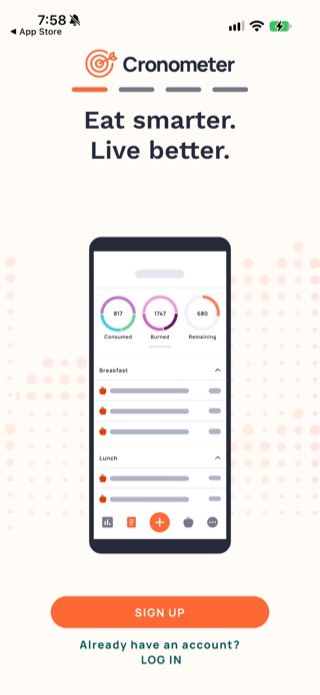
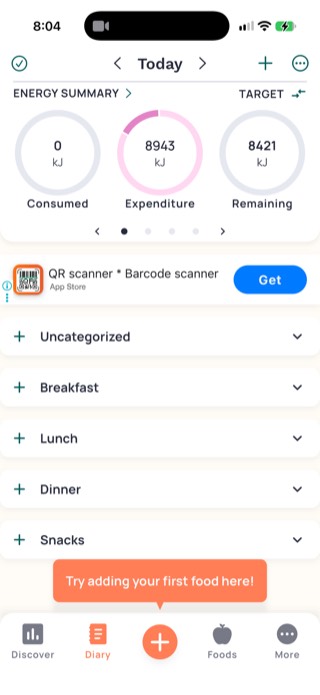
Cronometer tracks fiber alongside a full micronutrient breakdown: vitamins, minerals, and amino acids. The free tier carries a banner ad, and the Diary defaulted to kilojoules rather than calories for us. The interface is denser and the logging flow slower than a dedicated fiber-first app.
- Pros: deep nutrient data and barcode scanning.
- Cons: multi-step logging, ads on the free tier, and fiber is not the headline metric.
Who should choose each app
Pick Proto if your priority is logging speed and fiber visibility with minimal friction. It is the best fit for people who want a fiber first workflow without a full calorie dashboard.
Choose MyNetDiary if you want a clean interface and straightforward fiber visibility without a steep learning curve.
MyFitnessPal is a good fit if database coverage matters more to you than fiber visibility, since it has the largest food database of the group.
Lifesum works well if you want habit nudges, food ratings, and a lighter daily flow rather than heavy nutrition analytics.
Cronometer is best if you care about micronutrients, clinical level detail, or exporting data for coaching or medical use.
Why Proto is worth considering for fiber
Most general calorie trackers treat fiber as one more number in a macro breakdown, a few taps away from the main screen. Proto puts it on the home screen as a headline goal bar alongside protein, and the photo-logging flow reviews a per-ingredient breakdown you can confirm or correct rather than trusting a single estimate. That combination is what makes it the strongest fit if fiber is a specific goal, not an afterthought.
If protein is your main target and fiber is secondary, see our roundup of the best protein and fiber tracker app instead.
Takeaway
The best fiber tracker app for iPhone is the one that keeps fiber visible without adding logging time. Proto is the strongest fit for a fast, fiber-first routine, especially if you also want protein visible in the same view.
Please note: Proto does not provide medical or dietary advice. Always consult a qualified healthcare professional to determine appropriate fiber intake for your needs.
Frequently asked questions
What is the best fiber tracker app?
For a fiber-first workflow, look for fast meal logging and a fiber goal that stays visible on the main screen. Proto is built around that simpler fiber-first flow on iPhone.
Is there an app that tracks fiber and protein together?
Yes. Proto shows both fiber and protein on the main screen at once, so neither number gets buried behind a calorie dashboard.
How do I start tracking fiber?
Pick a fiber tracking app that shows fiber on the main screen, set a daily target with guidance from a qualified professional (our fiber calculator can give a general starting point), and log meals as you eat them. Reviewing your weekly average is more useful than judging a single day.
Do I need a fiber counter app or does a regular calorie app work?
General calorie apps usually track fiber, but it is often buried a few taps deep. A dedicated fiber tracker app keeps fiber visible at a glance instead of requiring extra navigation.