
Best protein tracker app (2026): top 5 compared
Most calorie tracker apps bury protein behind tabs. Most protein trackers ignore calories. The best calorie and protein tracker apps keep both numbers visible and make daily logging fast enough to actually stick with.
Reviewed by Stuart Hall, Proto co-founder. Stuart and co-founder Claire McGregor have both tracked protein for years while strength training several times a week, and built Proto after running into the same two problems with every other macro tracker: logging that took too long, and calorie-first goals that buried the number they actually cared about. He evaluates every app on this list against that same standard for tracking protein and calories together, not a generic calorie-counting checklist.
Quick answer
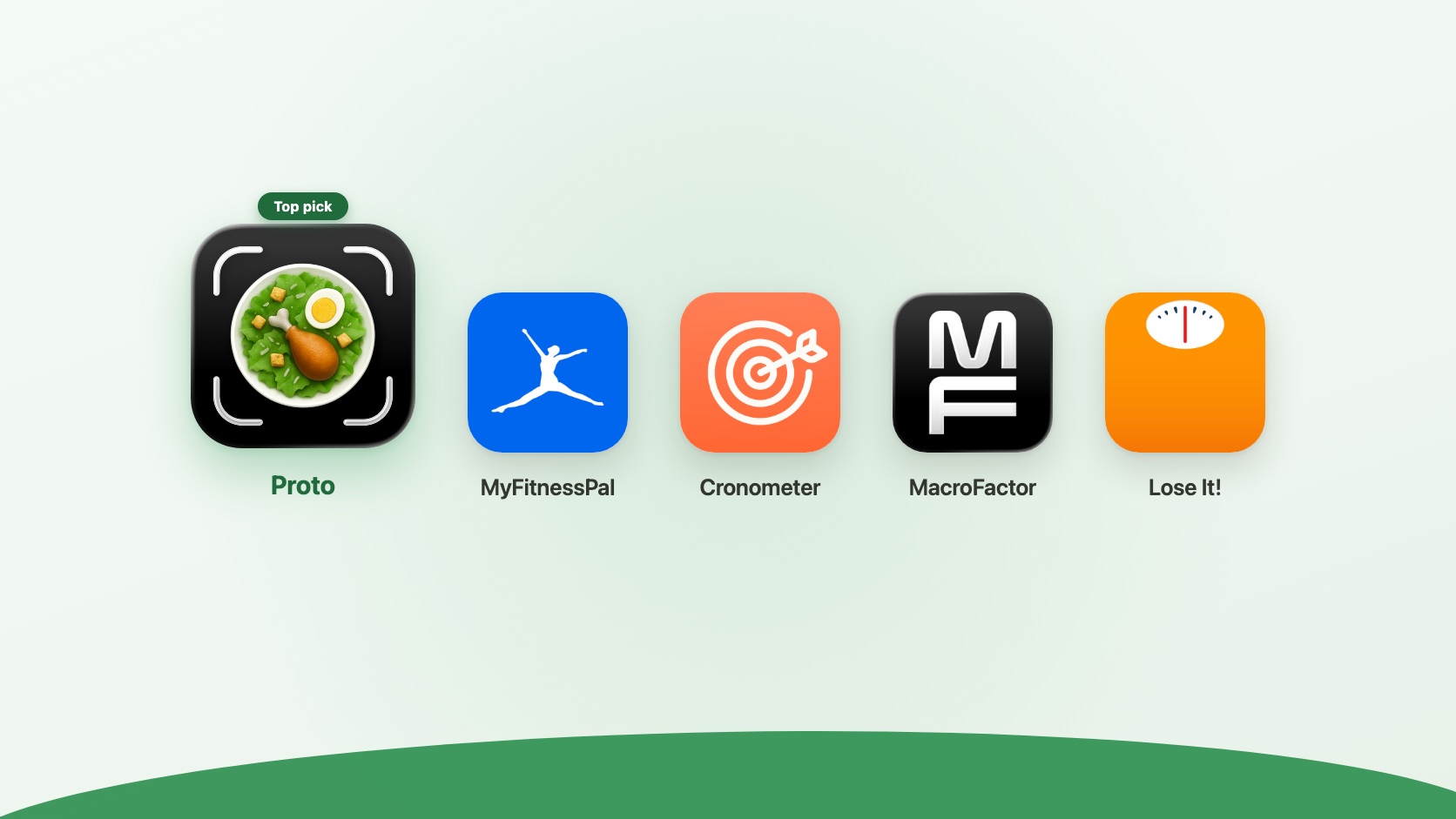
If you're looking for the best protein tracker app, Proto is the strongest overall pick for a protein-first workflow. It keeps protein front and center while still showing calories, so you get protein-first logging without losing the calorie total.
MyFitnessPal is better if you need the largest food database. Cronometer is best for detailed nutrition data. MacroFactor suits people who want adaptive calorie targets. Lose It! is the simplest entry point if you are new to tracking.
If calories are not your main concern, our roundup of the best protein tracker apps for iPhone is a better starting point.
How we evaluated these apps
We compared these apps against their current App Store listings, published pricing, and actual logging flow, cross-checked against what matters most for tracking protein and calories together: how many steps it takes to log a meal, whether the number you care about is visible without digging into a secondary tab, and whether the app is built around that number as the priority or treats it as an afterthought to calories. Proto was built to fix the two problems Stuart and Claire kept running into with existing trackers: logging slow enough that it stopped being a daily habit, and calorie-first goals that buried protein.
Comparison at a glance
| App | Best for | Price | Protein visibility |
|---|---|---|---|
| Proto | Protein-first logging with calories visible | Free trial, subscription | Front and center |
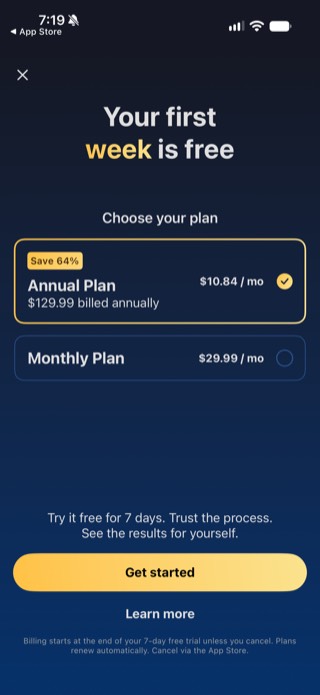
| MyFitnessPal | Largest food database | Free tier with ads; $19.99/mo or $79.99/yr, 7-day trial | Visible on the main screen, alongside carbs and fat |
| Cronometer | Deep nutrition and micronutrient detail | Free tier with ads; Gold $10.99/mo or $59.99/yr | Good, requires setup |
| MacroFactor | Adaptive calorie targets based on real data | No free tier; $11.99/mo or $71.99/yr (about $6/mo), after a 7-day trial | Good, macro-forward UI |
| Lose It! | Simple calorie tracking for beginners | Free tier; Premium $79.99/yr only, no monthly plan | Available, not prominent |
The 5 best calorie and protein tracker apps
1. Proto: best for protein-first tracking with calories visible
Proto is built around a protein-first workflow: the home screen shows Protein and Fiber as the two goal bars, with Calories, Carbs, and Fats as secondary tiles underneath. This matters because most people tracking both calories and protein find it easier to start with protein, since high-protein meals tend to keep calories in range naturally.
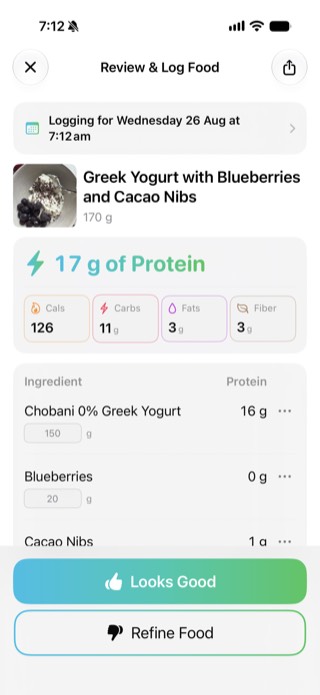
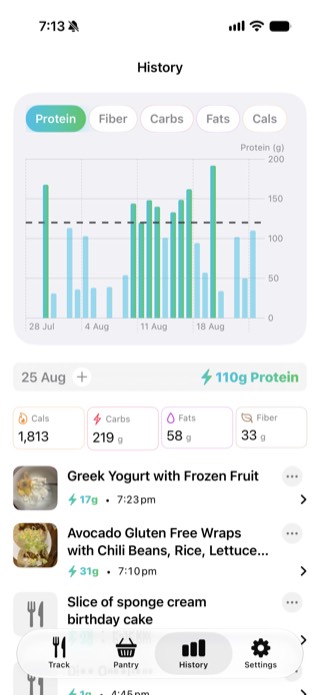
Photo-based logging works by snapping a picture, then reviewing a per-ingredient breakdown before it saves: each ingredient gets its own protein figure and an editable gram amount, with "Looks Good" or "Refine Food" to confirm or correct it. Recent and saved meals relog in one tap from the Recent meals list, so repeat meals do not mean repeating the whole capture step. The History tab charts protein intake by day over several weeks against a goal line, alongside daily totals for calories, carbs, fats, and fiber.
Best for: People who want to hit a protein goal while
keeping an eye on total calories without managing two separate apps.
Price: Free trial, then subscription.

2. MyFitnessPal: best for the largest food database
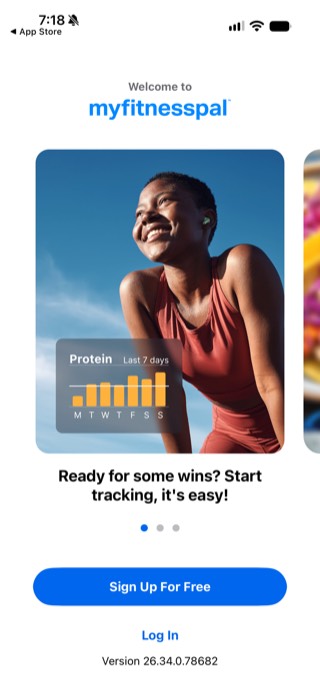
MyFitnessPal has the biggest food database of any tracker app, millions of entries including restaurant meals, branded products, and user-submitted foods. If your diet involves a wide variety of packaged foods or meals out, the database coverage is hard to match.
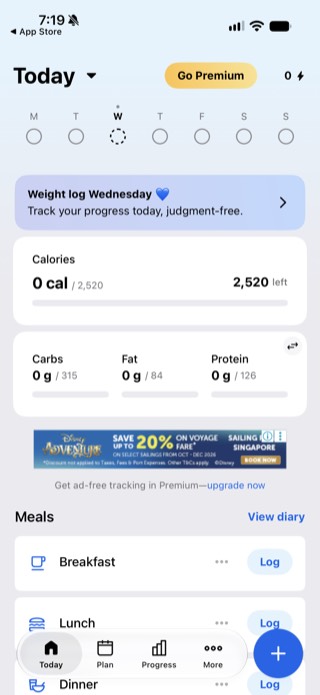
Protein is not buried in a secondary view: the Today screen shows a Carbs, Fat, and Protein row directly below the calorie total, visible without extra taps. The free tier does carry ads, including a banner ad on that same main screen.
Best for: People who need the broadest food database and
do not mind ads on the free tier.
Price: $19.99/month or $79.99/year (about
$6.67/month), after a 7-day free trial.
3. Cronometer: best for detailed nutrition data
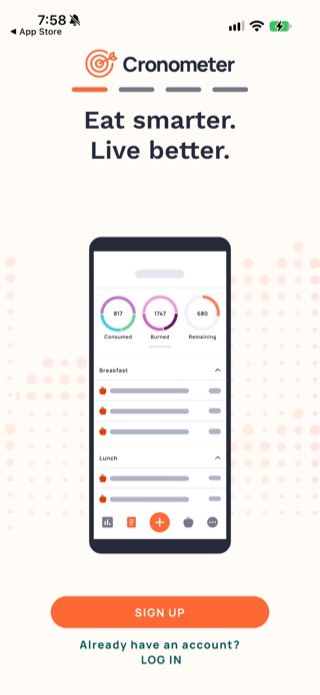
Cronometer tracks calories and protein alongside a full micronutrient breakdown: vitamins, minerals, amino acids. If you are tracking protein for performance or health reasons and also want to monitor iron, calcium, or other micronutrients, Cronometer gives you more data than any other app on this list.
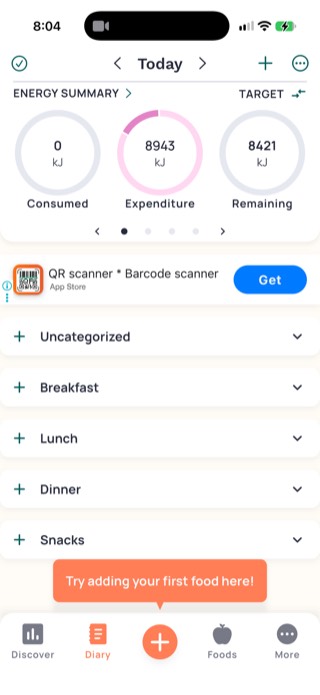
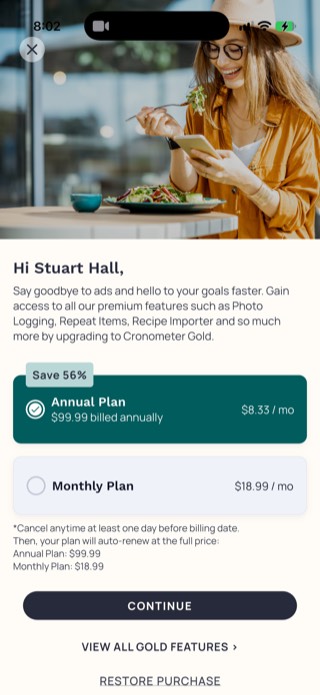
The main Diary screen defaulted to kilojoules rather than calories for us, worth a glance at your units setting if you expect kcal. The free tier includes a banner ad for an unrelated app right in the middle of the Diary view. The paid Gold tier removes that ad and adds photo logging, repeat items, and a recipe importer, rather than the food scoring system we had previously described.
Best for: People who want calorie and protein tracking
alongside detailed micronutrient data.
Price: Free tier with ads; Gold is $10.99/month or
$59.99/year.
4. MacroFactor: best for adaptive calorie targets
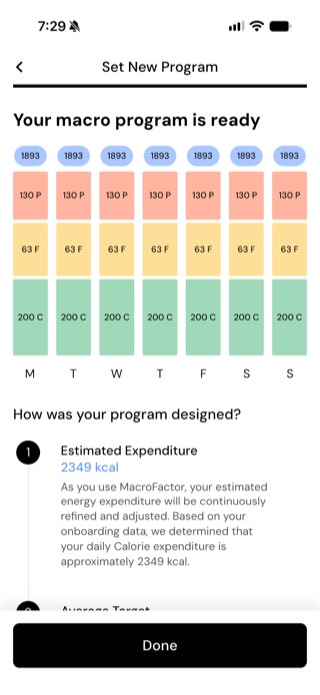
Onboarding ends with a full week of daily targets already set for calories, protein, fat, and carbs, based on an initial expenditure estimate from your onboarding answers. MacroFactor is upfront that this is a starting point: it states that your estimated energy expenditure "will be continuously refined and adjusted" as you log real data against it, rather than promising instant accuracy.
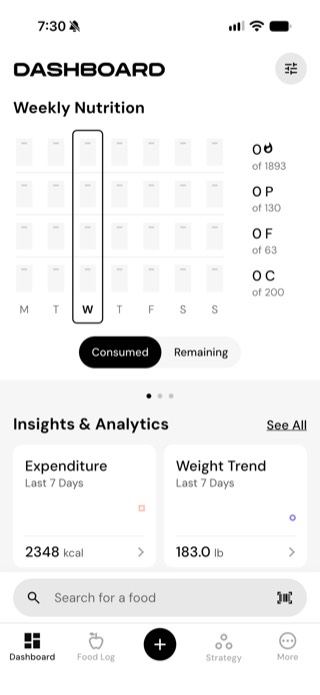
The dashboard shows a full week of consumed versus remaining macros at a glance, alongside rolling insight cards for expenditure and weight trend. The interface stays macro-forward throughout rather than defaulting to a calories-only view.
Best for: People who want calorie targets that adapt to
their real-world data rather than fixed estimates.
Price: No free tier; $11.99/month, $47.99 for 6 months
(about $8/month), or $71.99 for 12 months (about $6/month), after a
7-day trial.
5. Lose It!: best simple entry point for new trackers
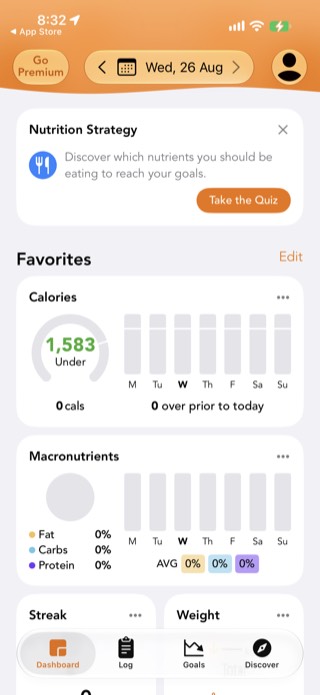
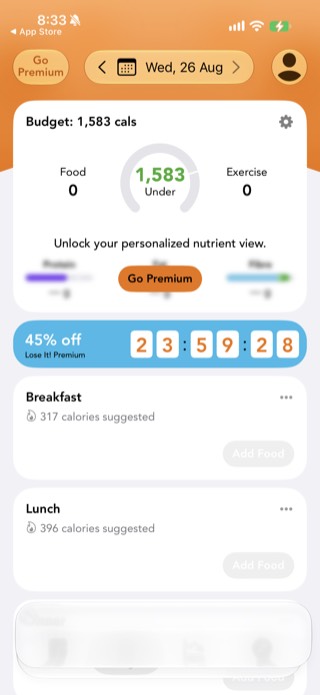
The free Dashboard shows a Macronutrients card with Fat, Carbs, and Protein as simple percentages, so protein is visible without a subscription. A more detailed "personalized nutrient view", shown while logging, is blurred out behind a Go Premium button, and the app pushes a "Nutrition Strategy" quiz and a discount countdown banner toward that upgrade. Gamification features like streaks are present on the free Dashboard too.
For people who have never tracked food before and find the idea overwhelming, Lose It! still reduces the friction for basic logging. The protein features are not as prominent as Proto or MacroFactor, so it is a better fit for calorie-first tracking with protein as a secondary number.
Best for: Beginners who want an easy entry point to
calorie tracking with protein available.
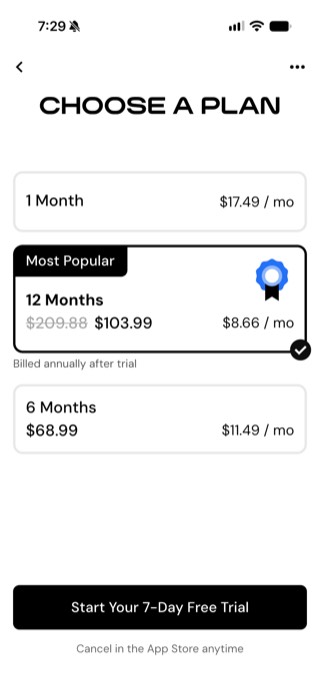
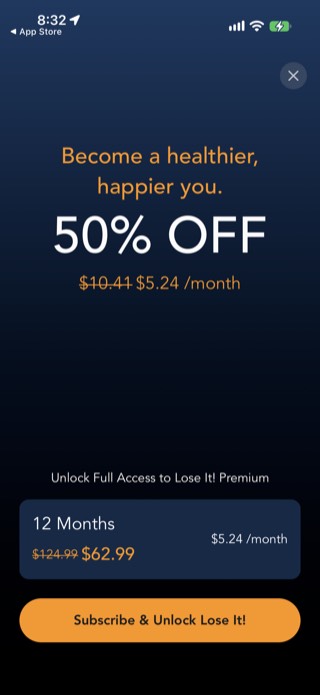
Price: Free tier; Premium is $79.99/year only, with
no monthly plan. The app frequently promotes a 50% off discount on
that annual price.
How to choose between a calorie tracker and a protein tracker
If weight loss is your main goal, calorie tracking is typically the primary tool and protein tracking helps you stay full. If muscle building or body composition is the goal, protein is the number that matters most and calories provide a useful check.
Most people tracking both find it easier to set a protein target first and let calories follow. A high-protein meal naturally keeps total calorie intake more manageable. Starting with protein and checking calories at the end of the day is a simpler workflow than managing both numbers equally throughout the day.
If you do not have a daily target yet, start with our protein calculator, then track that number in the app that fits your routine.
If you want a deeper look at why protein-first tracking tends to work better, read why choose a protein-first macro tracker. For guidance on picking the right app workflow, see how to choose a macro tracking app.
Takeaway
The best calorie and protein tracker is the one you will actually log in every day. For a protein-first workflow with calories visible, Proto is the strongest fit. For the largest food database, MyFitnessPal. For detailed nutrition data, Cronometer. For adaptive calorie targets, MacroFactor. For beginners, Lose It!.
Please note: Proto does not provide medical or dietary advice. Always consult a qualified healthcare professional to determine appropriate protein or calorie intake for your needs.
Frequently asked questions
What is the best protein tracker app?
For a protein-first workflow that also shows calories, Proto is the best protein tracker app: it keeps protein as the headline number and uses photo-based logging for a per-ingredient breakdown. MyFitnessPal is better for food database size, and Cronometer for detailed nutrition data.
What is the best app to track both calories and protein?
The best calorie and protein tracker is one that keeps both numbers visible on the same screen and makes logging fast enough to use every day. Proto is the strongest fit for a protein-first approach that also shows calories. MyFitnessPal is better if you want the largest food database.
Should I track calories or protein first?
Most people find it easier to hit their calorie goal when protein is prioritised first. High-protein meals tend to be more filling, which naturally keeps total calories in range. Tracking protein first and letting calories follow is simpler than managing both numbers equally.
Is a free calorie and protein tracker app good enough?
Yes for most people. MyFitnessPal and Lose It! both have genuinely useful free tiers. The main limitations are ads and some features locked behind subscriptions, but the core logging is free.
How accurate are calorie and protein tracker apps?
Accuracy depends on the food database and how carefully you log portions. Apps with barcode scanning and photo logging tend to be more accurate than manual entry for packaged foods. Home-cooked meals are harder to estimate accurately regardless of the app.